What Is the Practice Streak Tracker?
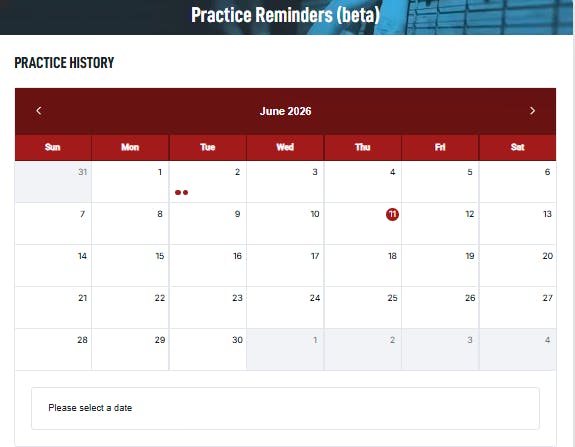
The Practice Streak Tracker is a new feature that records your consecutive practice days on Guitar Tricks. Use this tool to stay on track and stay motivated to continue making progress.
Each qualifying activity you complete extends your streak by one day, fills your guitar pick icon, and unlocks a new tier title. The goal is simple: show up every day and watch your streak grow!
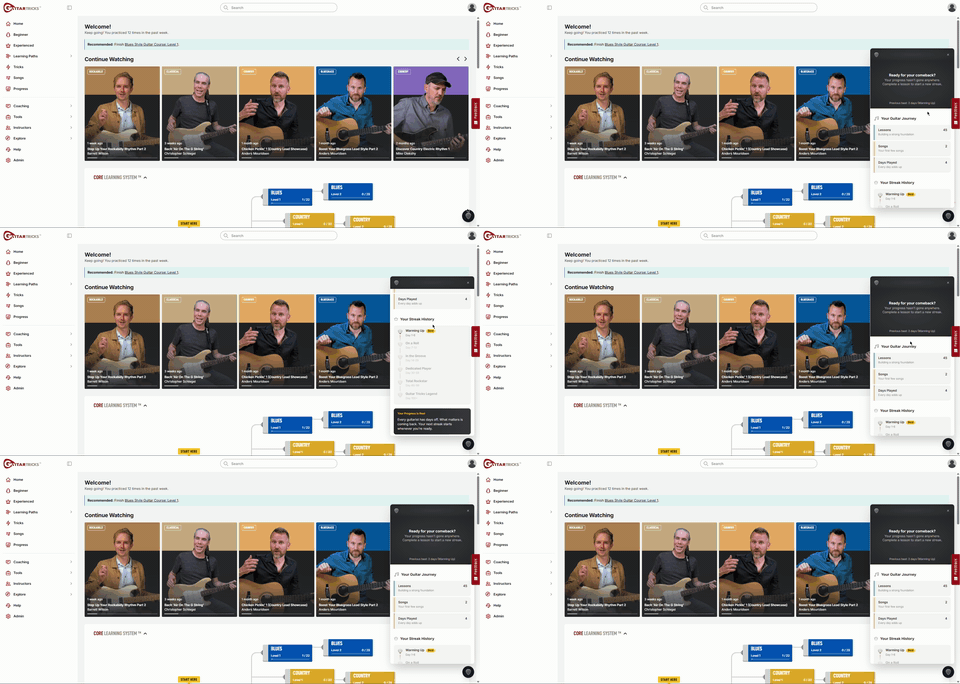
The widget lives in the bottom-right corner as a floating guitar pick icon — always one click away, never in the way.
What Counts as a Streak Day?
Any ONE of the following actions extends your streak for that day:
- Watch a lesson in any tutorial
- Using practice tools like the Fretboard Trainer
- Log offline practice time
Good to know: Simply logging in does not count toward your streak. You need to complete at least one qualifying activity each day.
The Floating Pick Button
The guitar pick icon appears at the bottom-right corner. Here's what to look for:
- Active Streak: Filled pick (red)
- No Active Streak: Grey
Tap or click the pick at any time to access the streak panel where you can:
- View all recent activity
- View activity around the community
- View your streak status and progress to the next tier
Streak Tiers
As your streak grows, your guitar pick fills with red from bottom to top and your tier updates.
There are six tiers:
|
Tier Name |
Days Required |
Pick Fill Level |
|
Warming Up |
Days 1–6 |
~15% |
|
On a Roll |
Days 7–13 |
~30% |
|
In the Groove |
Days 14–29 |
~50% |
|
Dedicated Player |
Days 30–59 |
~70% |
|
Total Rockstar |
Days 60–99 |
~85% |
|
Guitar Tricks Legend |
Days 100+ |
100% |
Your progress ring in the panel shows how far you are within your current tier — it resets when you reach a new tier. At Guitar Tricks Legend (100+ days), the ring stays fully filled.
Inside the Streak Panel
Click the floating pick to open the slide-up Streak Panel.
Active Streak View
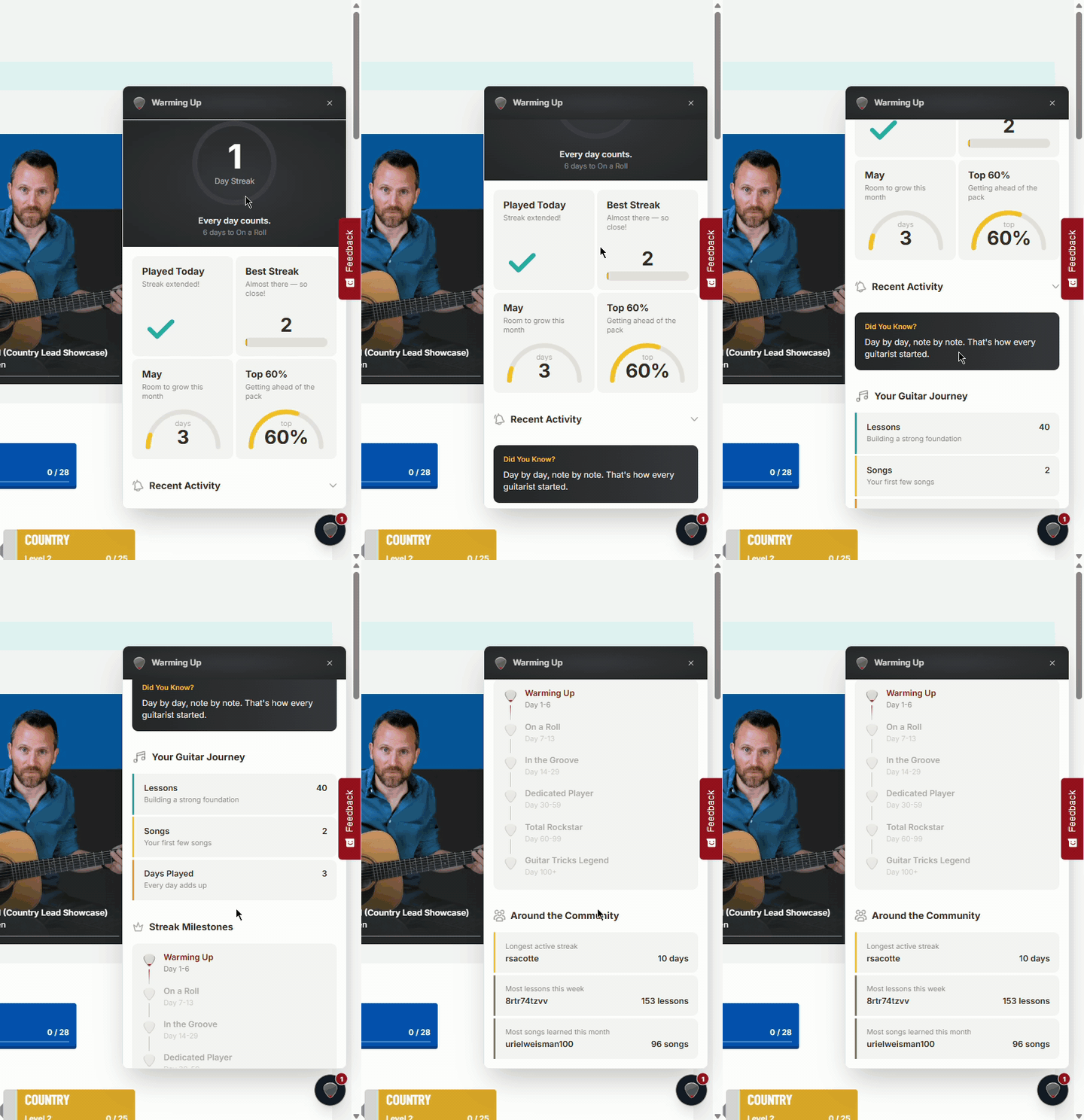
Your main dashboard when you have a current streak running. Scroll through:
- Today's Status + Best Streak — whether you've already practiced today
- Percentile + This Month — how you compare to other members
- Recent Activity — your qualifying recent activities
- Did You Know? — helpful guitar facts
- Your Guitar Journey — lifetime stats: lessons, songs, days played
- Streak Milestones — your tier progress path
- Around the Community — the top streaks and activity highlights
Comeback View (Broken Streak)
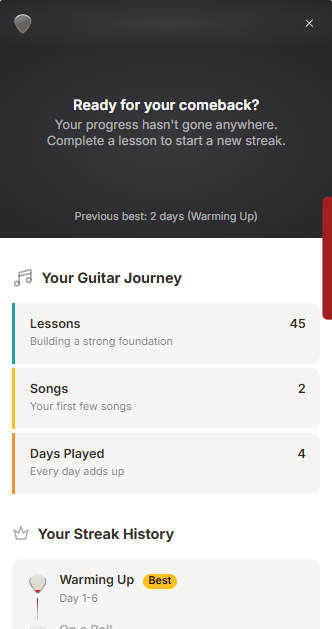
If there is a day or more break in activity, your streak resets. You'll see:
- Your previous best streak and tier
- Lifetime Guitar Journey stats
- Streak Milestones
Remember: Your practice history and best streak are always preserved.
Frequently Asked Questions
Does just logging in count?
No. You must complete at least one qualifying activity (watch a lesson, start a Fretboard Trainer exercise, or log offline practice time) to extend your streak.
What happens if I open the Fretboard Trainer but don't start an exercise?
Opening and closing the tool without starting an exercise does not count. You must actually begin an exercise.
I missed a few days — is my streak gone forever?
Your current streak resets to zero if you miss a day, but your best streak and all your history are always preserved. Log offline practice time for those missed days and your streak can be fully recovered retroactively.
Where can I see my lifetime stats even after a broken streak?
The Comeback View shows your full Guitar Journey stats (lessons, songs, days played), your best streak, and your highest tier badge — all preserved regardless of your current streak status.